Building a Supportive Care Network for a Loved One Living Independently
When a family member chooses to live independently later in life, the decision can mix pride with a quiet sense of worry. You want them to enjoy their freedom, but you also need to know they are safe. If you live far away, that worry can grow. The good news is that with the right tools and a bit of planning, distance does not have to stand in the way of reliable support.
A home safety alarm is one piece of a larger system that helps families stay connected and responsive from afar. But the technology alone is not enough. The real strength of any safety plan comes from how you set it up, how you communicate, and how you adapt as needs change. Below is a practical walkthrough of the steps that can help you build that system and keep it running well over time.
Step 1: Start with an open conversation
The first and most important step is to talk honestly with your loved one about what they want. Many older adults worry that asking for help will mean losing control over their own life. So the conversation should focus on what independence means to them and how a little extra support can protect that freedom, not take it away.
Ask open questions about their daily routine. What parts of the day feel most vulnerable? Is it getting up at night? Cooking? Going outside? Listen carefully before suggesting any solution. The goal is to build a plan together, not to impose one. When they feel heard, they are far more likely to embrace a wearable device or an alert system as a tool for freedom, not a symbol of frailty.
Step 2: Choose a home safety alarm that fits their lifestyle
A home safety alarm today can take many forms. For someone who lives alone, a wearable personal safety device is often the best fit. It goes with them everywhere, from the bedroom to the garden, so help is always within reach. Look for a device that includes SOS alerts, fall detection, GPS location sharing, and two-way voice communication. These features matter because they cover the most common emergencies: a fall, getting lost, or not being able to reach the phone during a sudden health event.
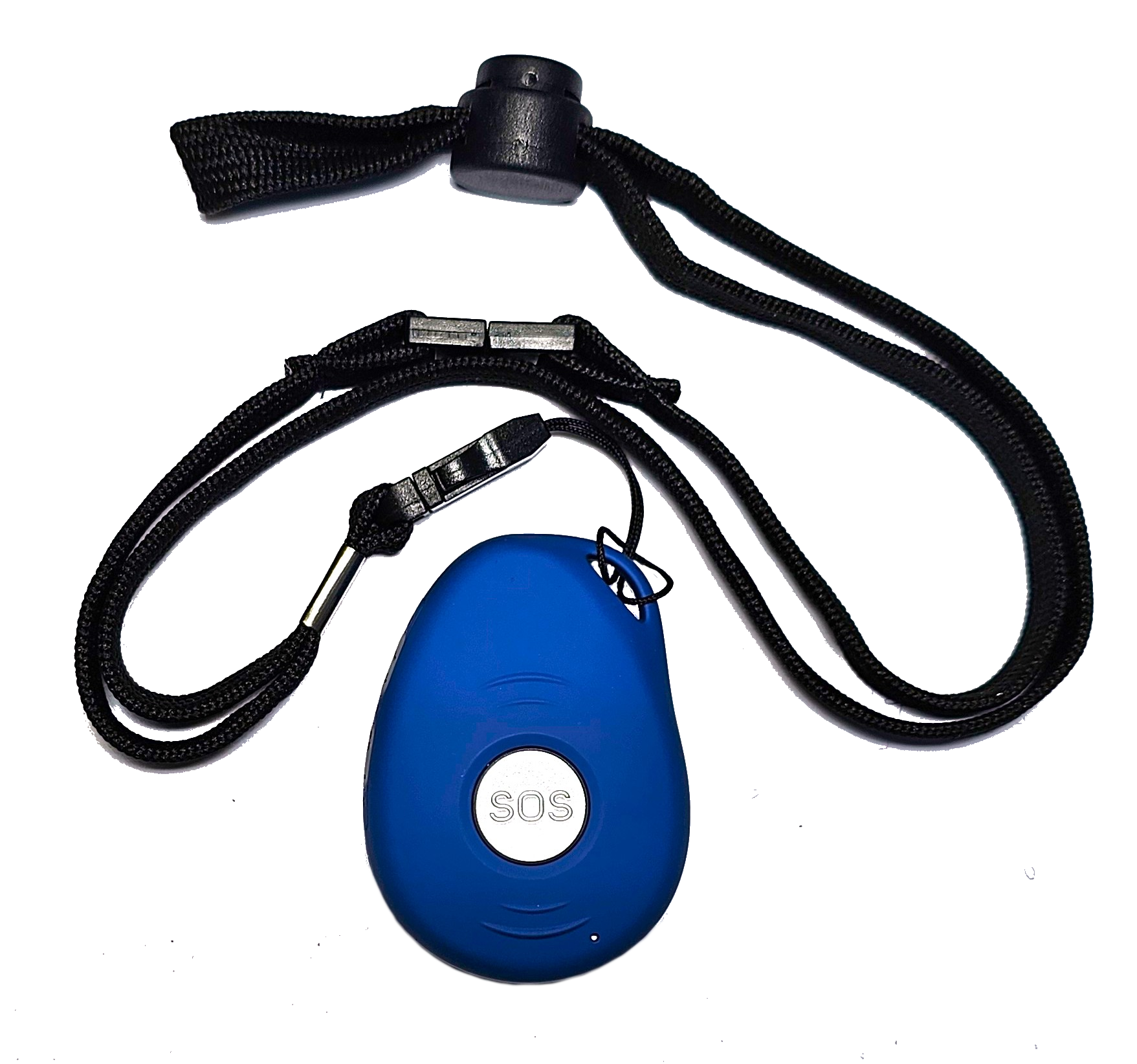
Fall detection is especially important. Many older adults hesitate to press a button after a fall, either from shock or because they do not want to seem dramatic. A device that can detect a fall automatically removes that hesitation. Two-way voice communication is another feature that can make a real difference. It allows a responder to talk with the person right away, assess the situation, and decide whether to send help or simply talk them through a minor issue.
Step 3: Set up a care network of trusted contacts
No one person can be on call 24 hours a day. That is why a good safety system lets you build a network of trusted contacts. These are the people who get notified when an alert is triggered. They can be family members, neighbours, or close friends who live nearby. The key is to choose people who are reliable and willing to respond when needed.
Assign roles based on proximity and availability. A neighbour might be the first responder during the day, while a sibling who lives across town can handle evening alerts. The system should let each contact know what kind of help is needed. For example, a GPS location alert might mean someone needs to go to the person right away, while a voice call through the device might be enough to resolve a confusion about medication.
Make sure every contact knows how the device works and what their role is. Run through a practice alert together so everyone feels confident. This kind of preparation turns a theoretical safety net into a real one.
Step 4: Address home hazards before they cause trouble
Even the best alarm cannot prevent every accident. But you can reduce the risk by looking at the home environment with fresh eyes. Common hazards include loose rugs, poor lighting in hallways and bathrooms, cluttered paths, and stairs without handrails. A simple walkthrough with your loved one, either in person or over a video call, can spot these issues.
Think about the most common trouble spots. The bathroom is a classic example. Slippery floors, low toilets, and the need to reach for towels or medicine can all lead to falls. Installing grab bars, adding a shower chair, and improving lighting can make a big difference. The kitchen is another area where small changes help: moving frequently used items to lower shelves, using a kettle with an automatic shut-off, and keeping a clear path to the stove.
Once the home is safer, the wearable device becomes a backup, not the first line of defence. That is a better balance for everyone.
Step 5: Make daily check-ins part of the routine
Distance can make it hard to spot gradual changes in health or mood. A daily check-in routine helps you stay aware without being intrusive. This can be as simple as a text message or a quick phone call at a set time each day. Some families use a shared calendar or a messaging app where the person checks in with a thumbs-up or a short note.

The check-in serves two purposes. First, it gives you a baseline for how things are going. If a call goes unanswered, you know to follow up. Second, it reinforces the connection. Your loved one knows someone is paying attention, which can reduce anxiety on both sides. The key is to make the routine feel natural, not like a surveillance system. A bit of humour or a question about something they enjoy can keep the tone light.
If you notice that check-ins are becoming harder or that the person seems more withdrawn, it may be a sign that their needs are changing. That is the time to revisit the safety plan and adjust.
Step 6: Test the system regularly and update it as needed
A home safety alarm is only as good as its last test. Batteries die, settings drift, and people forget how to use features they do not practice. Set a monthly reminder to test the device together. Press the SOS button, check that the fall detection works, and confirm that the GPS location is accurate. If the device has two-way voice communication, make a test call to ensure the audio is clear.
Also check that the trusted contacts are still the right people. A neighbour who was happy to help last year may have moved or changed their schedule. A family member who was once the main responder may now be dealing with their own health issues. Update the contact list as life changes. Keep it fresh so that when an alert goes out, someone is actually in a position to respond.
For those using a device from familyr.co.nz, the setup often includes a web-based dashboard where you can manage contacts and review alert history. This kind of visibility makes it easier to stay involved even when you are far away. Regularly logging in to check the status of the device and the history of any alerts gives you peace of mind without having to ask your loved one to report everything.
Step 7: Plan ahead for emergencies that need a human response
Technology can do a lot, but it cannot replace a person who knows how to act in a crisis. Talk with your loved one about what they want to happen in different scenarios. If they fall and cannot get up, who should be called? If they need to go to hospital, which one should they go to? Do they have a list of medications and allergies ready to hand over to first responders?
Write down these preferences and keep a copy near the phone or inside the wearable device's charging station. Make sure the trusted contacts have a copy too. This kind of advance planning reduces confusion and stress when an emergency happens. It also takes the burden off the person who is alone, because they know the plan is already in place.
One often overlooked detail is the key to the house. If you live far away, make sure a neighbour or a local contact has a spare key or knows the access code to the home. During an emergency, every minute counts, and a locked door can delay help.

Bringing it all together
Supporting independent living from a distance is not about being in control. It is about creating a system that respects your loved one's autonomy while giving you the confidence that they are safe. A home safety alarm is the technical heart of that system, but the human elements matter just as much: honest conversation, a well-prepared home, a reliable network of contacts, and a routine that keeps everyone connected.
Start small. Pick one or two steps from above and work through them together. As those become part of your normal routine, add the next piece. Over time, the whole system becomes something that everyone trusts. That trust is what makes distance feel less like a barrier and more like a manageable part of life.
For families in New Zealand, exploring what is available through familyr.co.nz can be a useful next step. But the principles here apply no matter which device you choose. The best system is the one that fits your family's habits, your loved one's personality, and the realities of your daily life.